












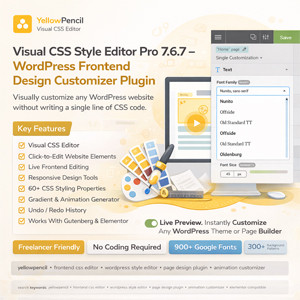
YellowPencil Visual CSS Style Editor Pro – WordPress Frontend Design Customizer Plugin
YellowPencil Visual CSS Style Editor is one of the most powerful front-end design plugins for WordPress. It allows you to visually customize any element of your website without writing a single line of CSS code. With its intuitive click-and-edit interface, you can instantly modify fonts, colors, spacing, layouts, animations, and much more directly from the front end of your website.
This plugin is widely used by WordPress developers, freelancers, agencies, bloggers, and eCommerce store owners who want full design control over their website without touching the theme files.
Instead of modifying your theme’s core files, YellowPencil dynamically generates CSS code in the background and loads it as a stylesheet. This means your design customizations remain safe even when you update your theme.
Using the visual editor, you simply click any element on your site and start customizing it. Adjust margins, padding, font styles, colors, backgrounds, borders, shadows, transitions, and other CSS properties in real time. All changes appear instantly thanks to the live preview system.
The plugin also includes powerful design tools such as a responsive preview editor, element inspector, measuring tool, wireframe mode, animation generator, gradient generator, and many advanced CSS3 styling options.
YellowPencil works seamlessly with most popular WordPress themes and page builders including Gutenberg, Elementor, and other modern page builders. This makes it an excellent design enhancement tool for any WordPress website.
Whether you are designing a blog, portfolio, corporate website, or WooCommerce store, YellowPencil helps you achieve pixel-perfect design control without coding knowledge.
The plugin also includes an undo and redo history system, allowing you to safely experiment with design changes. If you make a mistake, you can instantly revert to a previous version.
With access to hundreds of Google Fonts, modern color palettes, background patterns, and stock images, you can quickly transform your website into a modern and visually appealing design.
For professionals who prefer manual control, the plugin also includes a built-in CSS editor where you can write custom CSS or edit automatically generated styles.
Key Features
 Visual CSS Editor Click-to-Edit Website Elements Live Frontend Editing Responsive Design Tools 60+ CSS Styling Properties Visual Margin & Padding Controls Font & Typography Management Background Styling Tools Gradient Generator Animation Generator Undo / Redo History CSS Code Editor Export Stylesheet Option Compatible with All WordPress Themes Works With Elementor, Gutenberg & Page Builders
Design Tools Included
• Element Inspector
• Responsive Device Preview
• Wireframe Mode
• Measuring Tool
• Element Search Tool
• Drag & Drop Element Positioning
Design Asset Library
• 900+ Google Fonts
• 300+ Background Patterns
• Unsplash Stock Images
• Modern Color Palettes
• Ready-to-Use Animations
Compatibility
All WordPress Themes Elementor Page Builder Gutenberg Block Editor WooCommerce Most WordPress Plugins
Important Notice
This item is distributed under the GPL (General Public License).
Fully functional plugin file Use on unlimited websites No subscription required
Please note:
• Automatic updates from the original developer are not included
• Official author support is not included
• This item is provided for testing, learning, and development purposes
Related products

Frequently Bought Together
No frequently bought products found!
Products from this Seller
View All



Share with Friends
Trading is more effective when you share products with friends!Share you link
Share to